
Tender to submission in six steps
The sub-contractor workflow — from receiving tender documents to pricing and returning your bill.
Upload your tender documents
Drop in your files or upload a ZIP archive — specs, drawings, schedules, existing bills.
AI processes your documents
Auto-classifies each file, extracts text via OCR, generates summaries, and profiles your spec clauses. Takes a couple of minutes.
Import your bill of quantities
Four-step wizard: pick your Excel file, auto-map columns, classify rows into sections/groups/items, and create a structured bill.
Re-measure with takeoff
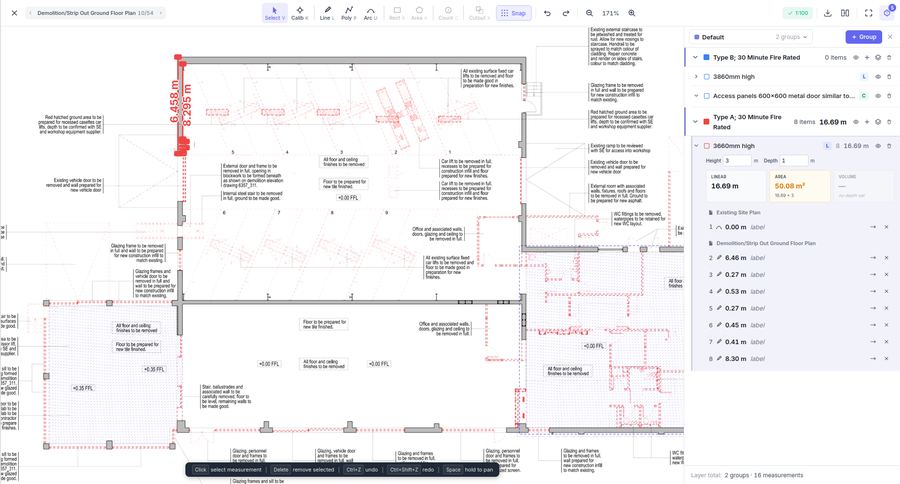
Open drawings directly in the viewer. Calibrate scale, measure lines and areas, organise into groups — then link measurements back to your bill items.
Build rates with assemblies
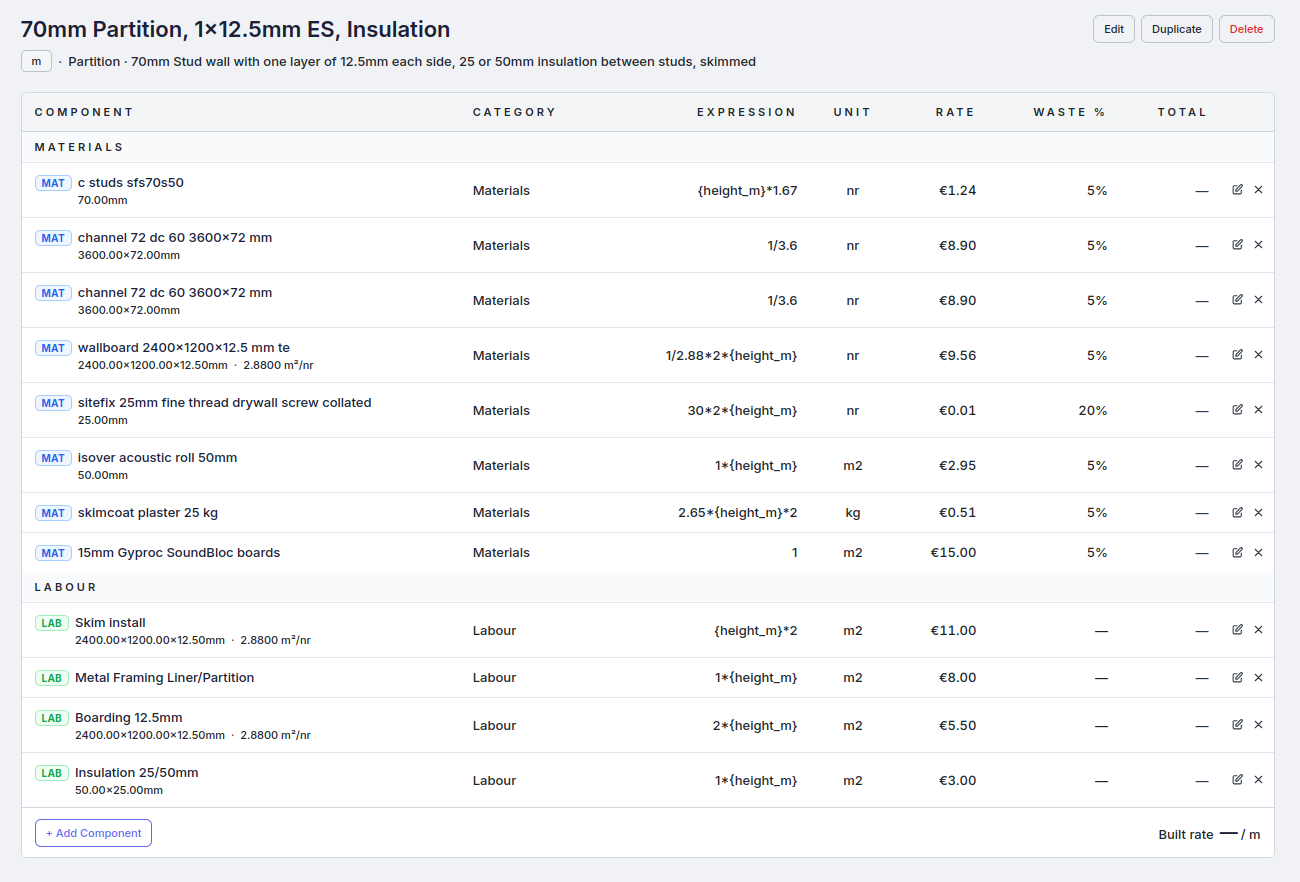
Apply reusable rate assemblies with parametric expressions — material, labour, and plant quantities calculated automatically from item dimensions.
Export priced bill
Download your fully priced bill as Excel — formatted, ready to return to the main contractor or client. Same structure they sent, now with your rates.
AI document assistant
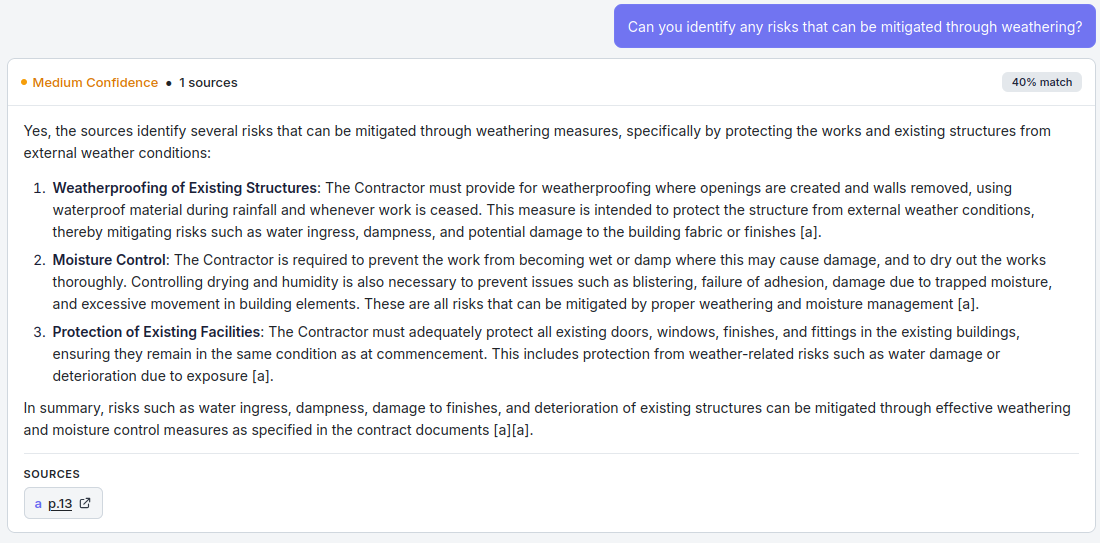
Ask questions about your specs, drawings, and schedules at any point in the workflow. Get answers with source citations and confidence scoring.
Ready to price faster?
Start your free trial today. No credit card required.