Applying Assemblies in Takeoff
Turn measured takeoff items into priced lines and push them into your estimate.
Applying Assemblies After Takeoff
Takeoff measures how much. Assemblies turn those measurements into priced lines. The pricing step happens in Cost build-up, not directly on the takeoff item — but the link between the two is live, so every shape you draw flows straight through to the rate.
The flow at a glance
- Takeoff — measure shapes into a named item. The item’s quantity is the live sum of its measurements.
- Cost build-up → Builder → Rates — find the line linked to that takeoff item and click Build rate.
- Apply Assembly — pick the assembly that priced this kind of work. The item name is fed in as context for AI suggestions.
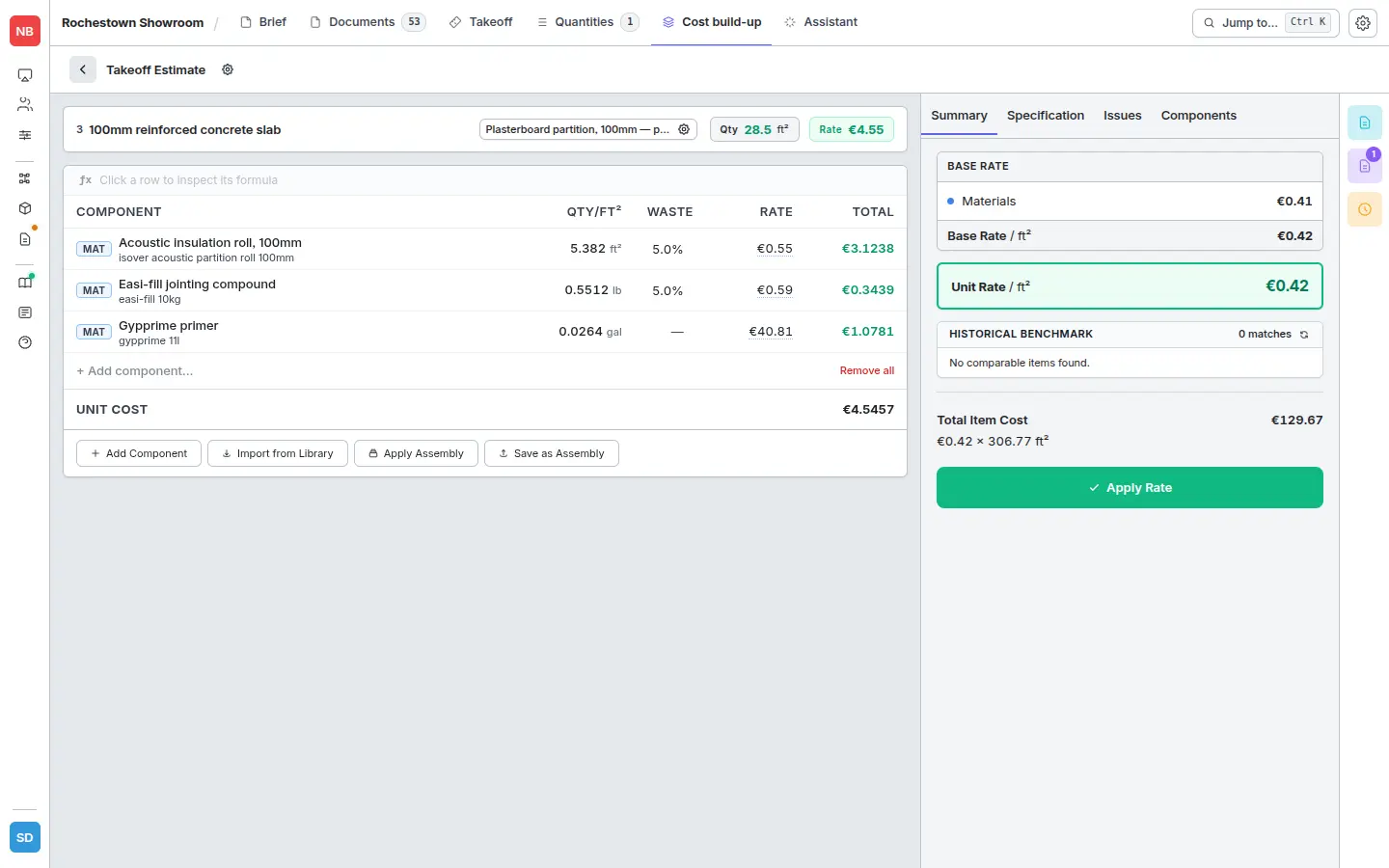
- Set variables, then Apply — the assembly’s components resolve against your rate library and produce a unit rate.
The line then shows:
- Quantity — summed from the measured shapes on the linked takeoff item.
- Unit rate — built from the assembly’s components against your rate library.
- Total — quantity × rate.
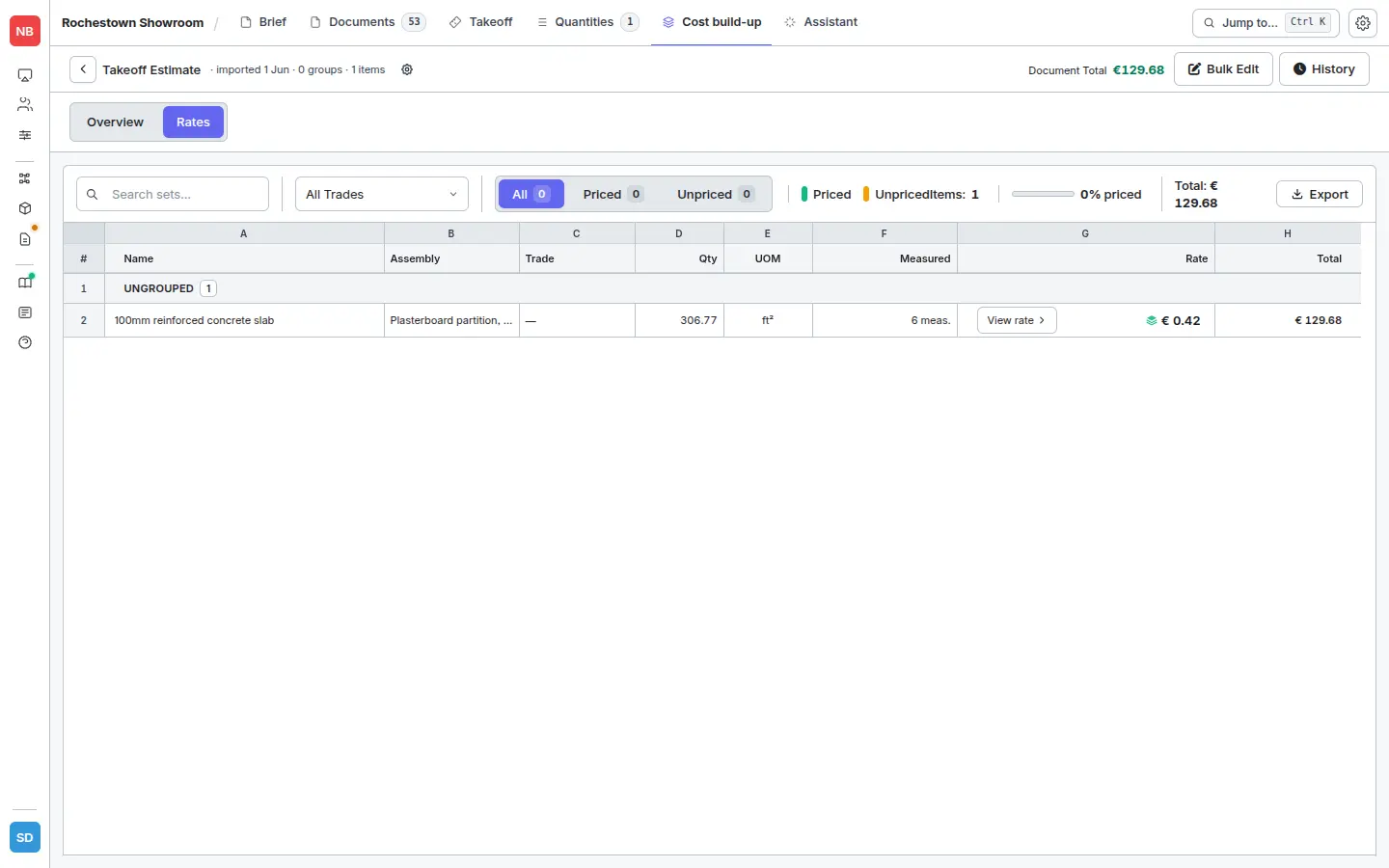
Opening the line shows the full breakdown — every component of the applied assembly, with its rate from the rate library and the computed contribution to the total:
Better item names produce better AI suggestions — see Naming items well. Step-by-step screenshots of the Assembly Picker and variable inputs live in Applying assemblies in the Rate Builder.
Pushing measured items into an estimate
If you started in the takeoff viewer (not from an existing worksheet), use Add to Estimate on an item to push it through. Each item becomes one line:
- Description from the item name.
- Quantity from the takeoff.
- Rate from the assembly you applied in Cost build-up.
- Breakdown preserved — re-open the line to see exactly which products and quantities produced the rate.
If you created the items via + Item → From Worksheet, the measurements already feed the worksheet lines directly — no extra push step needed.
Related
- Measuring — getting shapes on the drawing in the first place.
- Naming items well — better names give better AI assembly suggestions.
- Applying assemblies in the Rate Builder — the picker and variable UI in detail.
- Live updates — what changes automatically when you re-measure or update prices.