Products
Adding products manually and deciding when to create a new product vs. add a price.
Products
A Product is a single thing you buy or supply — a bag of cement, a metre of pipe, an hour of labour. Each one has a base unit of measure (UOM) and lives in your Rate Library so it can be reused across every project.
Manual entry is the right tool when you have just one price to record — a verbal quote, a one-off rate, a labour charge-out figure — and a full import would be overkill.
Adding a product manually
Open Library → Rates in the sidebar and click + Create Rate Item in the top-right. The modal opens with the five essential fields:
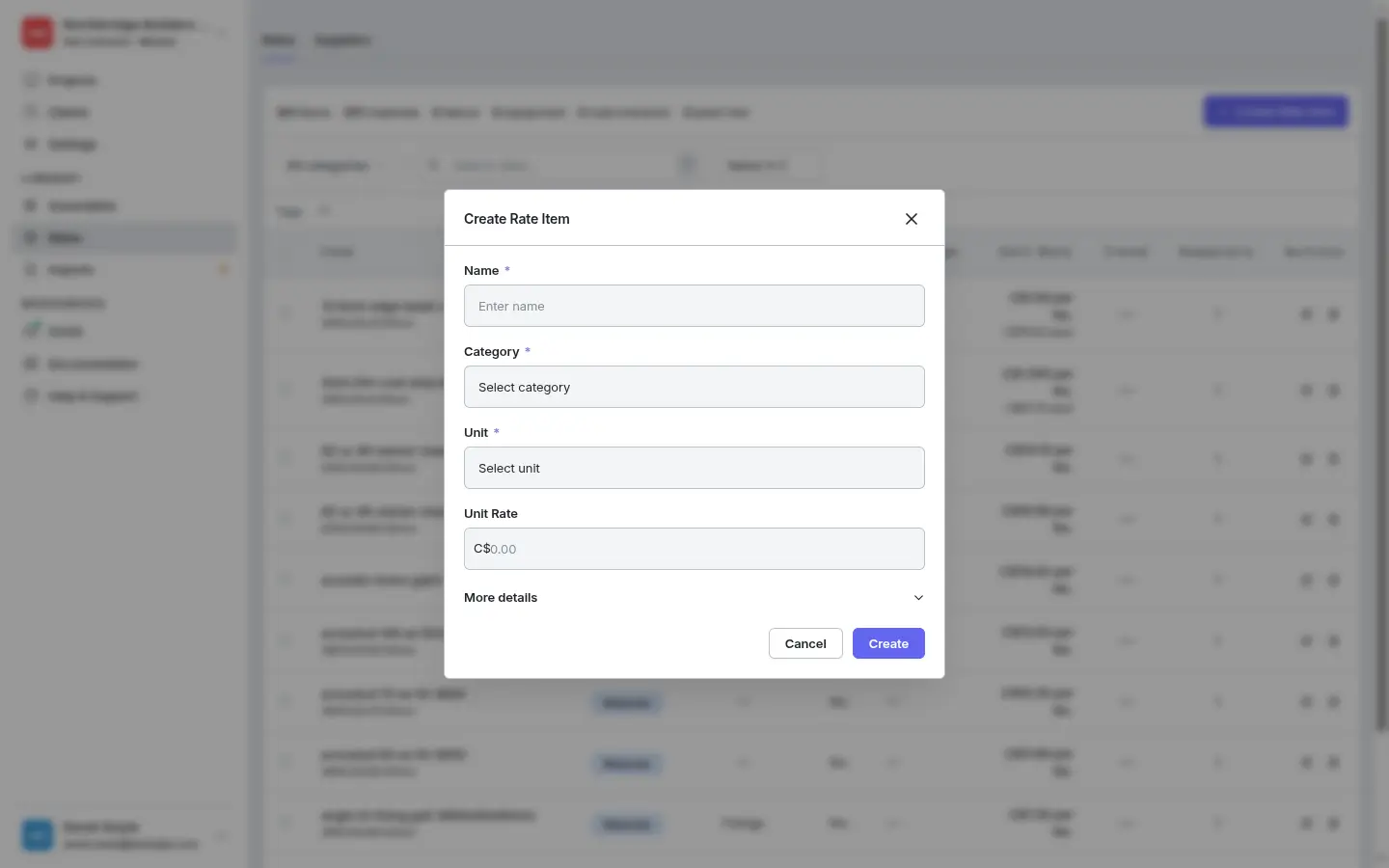
- Name — be specific. “Concrete C25/30 ready-mix” beats “concrete”. You’ll thank yourself later when searching or matching imports.
- Category — Materials, Labour, Equipment, Subcontractor, or Plant Hire. The category controls which units are allowed (you can’t price labour per m³).
- Unit — the base unit the rate is quoted in. For materials that’s usually
m,m²,m³,kg,yd³, orNo.. For labour it’s almost alwayshour. - Unit Rate (optional) — a starting per-unit price. Leave blank if you don’t have one yet; you can add a supplier price later from the product detail page.
Expand More details for a subcategory, brand, supplier, pack info, or wastage %. None are required for a basic product — pick a subcategory if you want the item to sit under a finer grouping like Metal Trims or Concrete on the list.
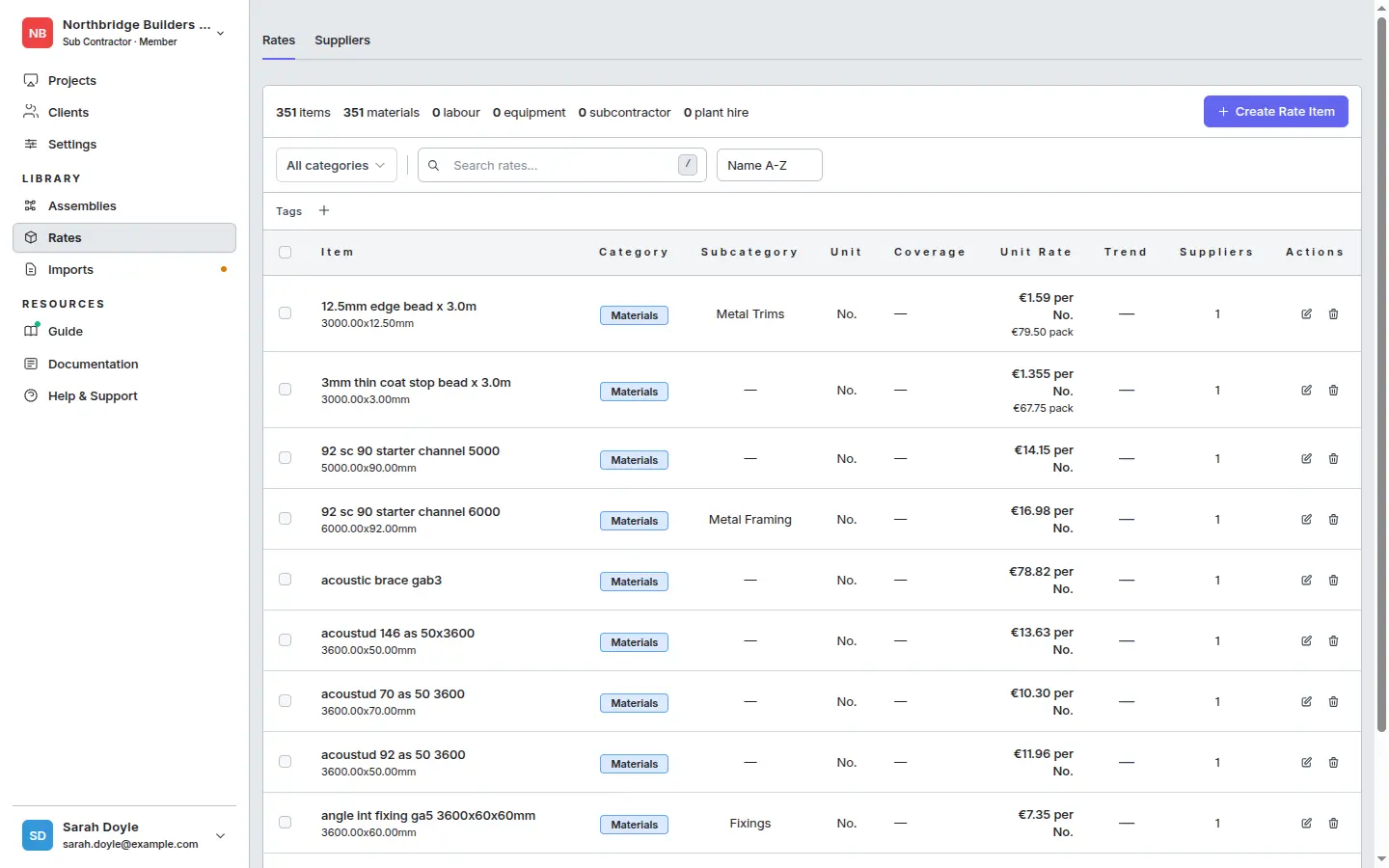
Click Create. You land back on the Rates list with the new product in place, ready for its first price:
When to add a new product vs. a new price
- Same item, different supplier or newer date → add a price to the existing product. Keeps comparison and history clean.
- Genuinely different item (different spec, grade, or size) → new product. Don’t try to fit a 20 mm pipe and a 25 mm pipe into the same product — they’ll be taken off in different quantities and need different rates.