Estimates
Price the schedule of work, review the totals, and export to Excel for clients or subcontractors.
Estimates
The estimate is the priced schedule of work for a project — every item with a description, a quantity, a unit, a rate, and a total. It is what you send to a client to win the job, and what you compare subcontractor quotes against.
In Blueprint Crusher the estimate lives under each project’s Cost build-up tab.
The shape of the page
The Cost build-up tab lists each bill of quantities (BQ) document belonging to the project. There is usually one auto-created from your takeoff (named Takeoff Estimate), plus any BQs you imported via + Import BQ in the top-right.
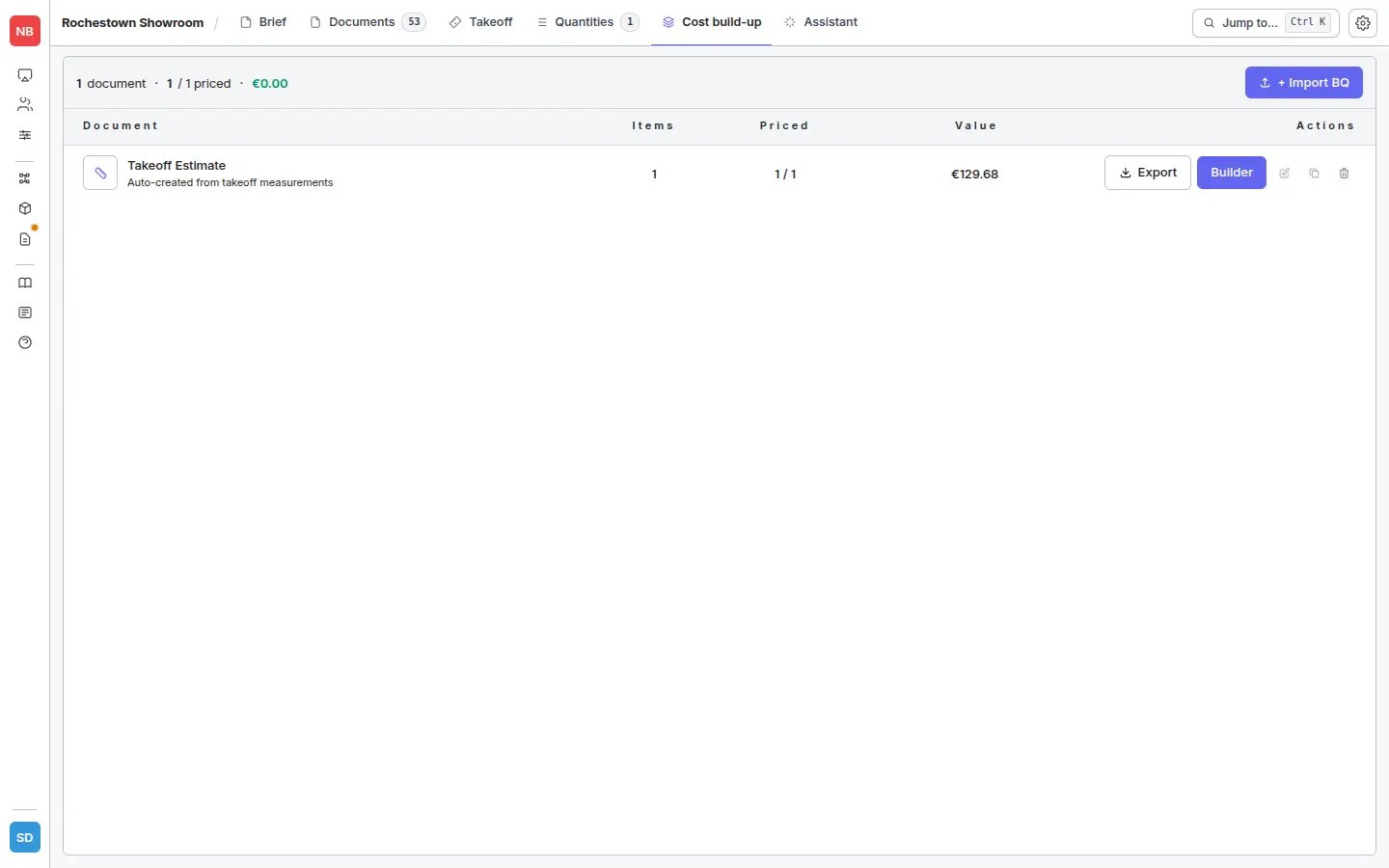
Each row shows:
- Document — the BQ’s name and origin.
- Items — total number of line items in the BQ.
- Priced — how many of those items currently have a rate.
- Value — running total once items are priced.
- Actions — Export the document to Excel, open it in the Builder, or edit / duplicate / delete it.
Pricing an estimate
Click Builder on a row to open the document. The Builder has two sub-tabs:
- Overview — summary, section structure, totals.
- Rates — the working grid where you price every line.
There are two routes into a rate:
- From a takeoff group. Measure the drawing, group the shapes, apply an assembly, then push the group through to the Cost build-up. Quantities and rates land in the Rates grid automatically — the fastest path.
- By hand in the Builder. Open the Rates tab, click Build rate on a line, and either apply an assembly or type a direct rate. Use this for items that aren’t measured — preliminaries, P&Gs, allowances, provisional sums.
You can filter the Rates grid by trade, or toggle between All / Priced / Unpriced to focus on what still needs attention. The header strip shows percent priced and a running total for the document.
In this section
- Excel export — how to produce the spreadsheet you send out.
- Tender vs. client vs. internal — picking the right export options for each audience.