Variables
Named numeric inputs that let one assembly cover many cases — different thicknesses, coats, or waste factors.
Variables
Variables are named numeric inputs you can reference in component quantity expressions. They let one assembly cover many cases without copying it.
Two kinds
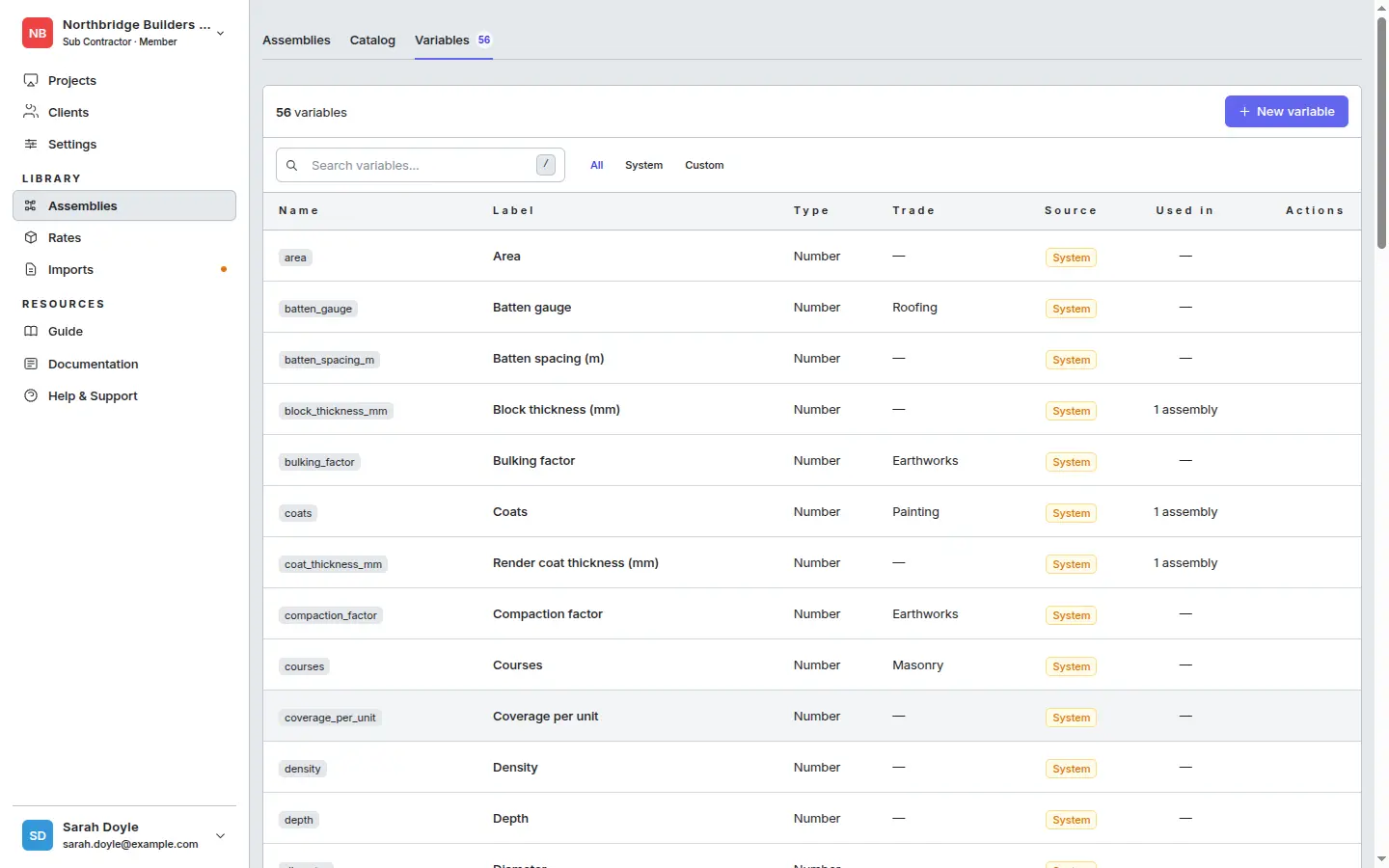
- System variables — a large set pre-seeded for you (e.g.
area,coats,block_thickness_mm,bulking_factor,coverage_per_unit,density,depth). Read-only, shared across all companies, often tagged with a trade. - Custom variables — your company’s own. Create whatever you need.
The Variables tab
Switch to the Variables tab inside Library → Assemblies. The list shows every variable, with filters for All / System / Custom and a “Used in” column that tells you how many assemblies reference each one.
Creating a custom variable
Click + New variable.
Fill in:
- Name — lowercase letters, numbers, and underscores only. This is what you’ll type in expressions (e.g.
render_thickness_mm). - Label — the human-readable name shown when applying the assembly (e.g. “Render Thickness (mm)”).
- Type — Number. Any numeric value between 0 and 1,000.
- Unit kind — picks the imperial display unit. Storage stays canonical metric.
- Default — the pre-filled value at apply-time. Leave blank to make the variable required (the user must enter a value before the assembly will apply).
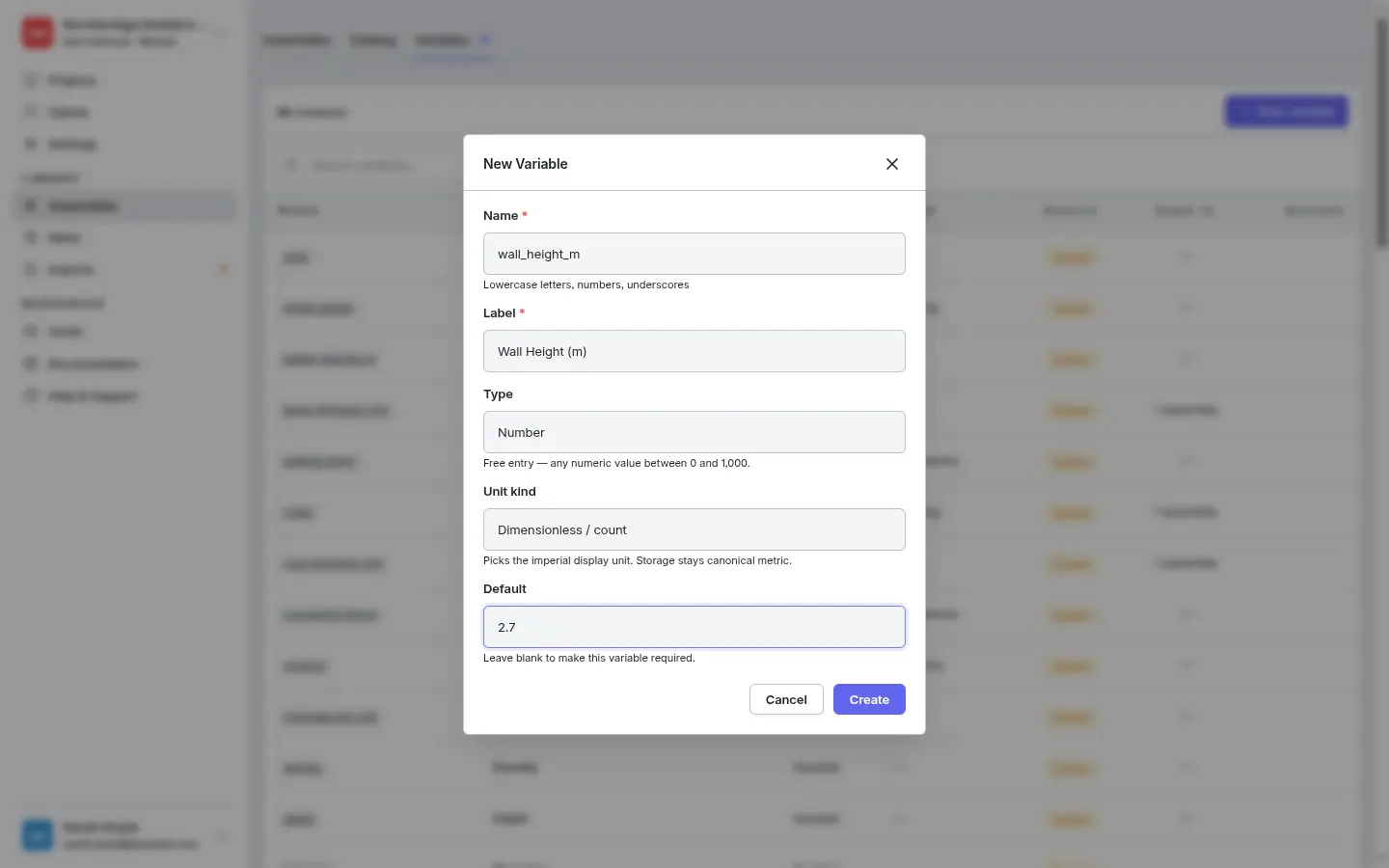
- Name — lowercase letters, numbers, and underscores only. This is what you’ll type in expressions (e.g.
Click Create. The variable appears in the list and is immediately usable in any assembly expression.
Using a variable in an assembly
In any component’s quantity expression, type { and pick the variable from the dropdown. When the assembly is applied, the user can override the default for that one application — without changing the assembly itself.
Real example
A “Painted wall” assembly with a {coats} variable (default 2) lets one assembly cover single-coat, two-coat, and three-coat work. The user picking the assembly just changes {coats} to 3 for the heritage job that needs the extra coat.
A “Blockwork wall” assembly with a {block_thickness_mm} variable can produce a 100 mm rate, a 140 mm rate, or a 215 mm rate — same assembly, different number at apply-time.
Why variables beat copies
Without variables, you’d need three blockwork assemblies — one per thickness — and three places to update if your supplier raises prices. With a {block_thickness_mm} variable, you maintain one assembly and pick the thickness when you apply it.
Deletion
Custom variables can only be deleted when their Used in count is zero. If a variable is referenced by any assembly, the delete action is disabled — remove the references first, or leave the variable in place.